How to sync your POS with online ordering platforms
Learn how to sync your POS with online ordering platforms like DoorDash, Uber Eats, and Grubhub. Automate menu updates and order injection to improve accuracy.
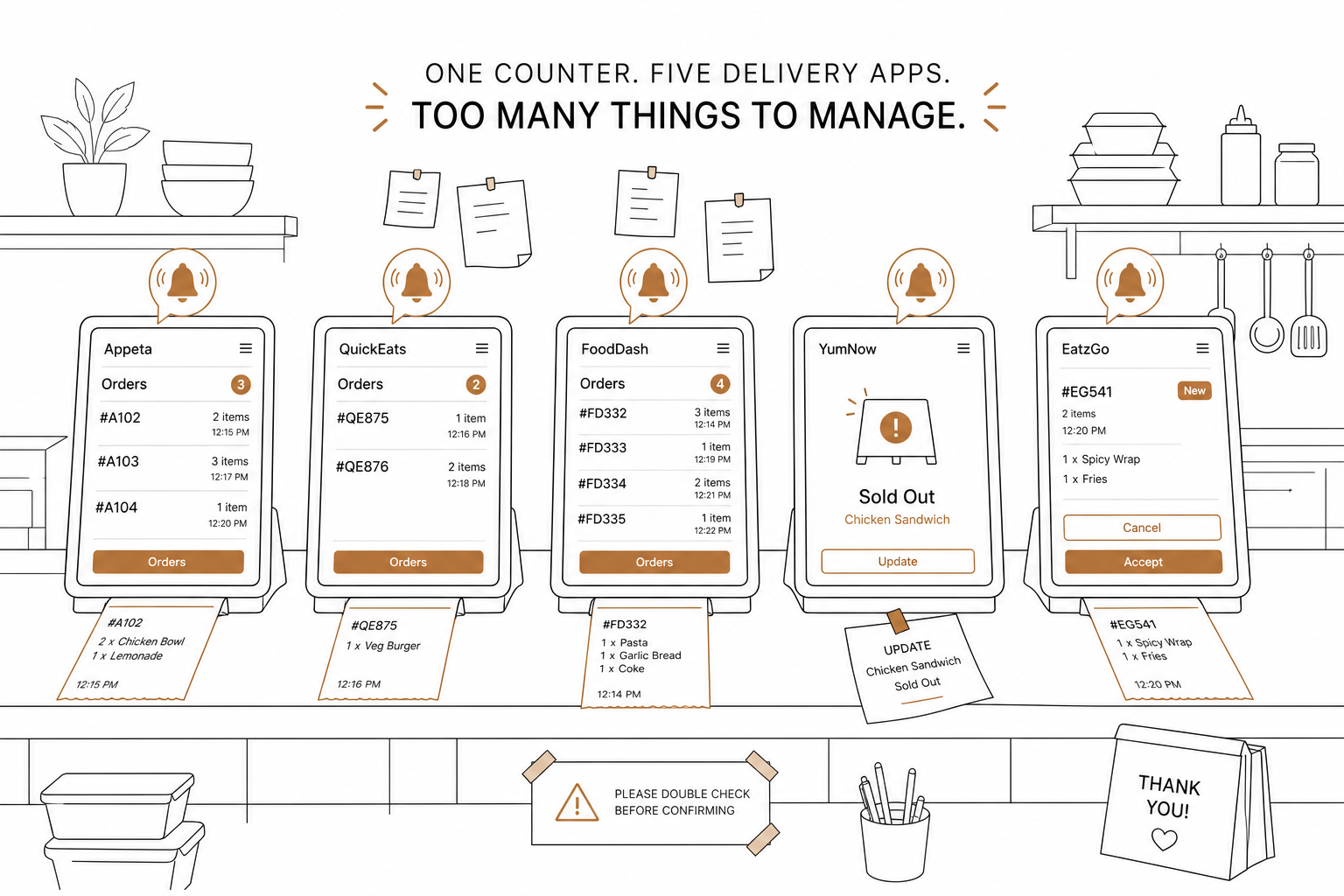
Tablet hell is a real place. It is a counter crowded with five different screens, all buzzing, chiming, and flashing different orders. When a customer orders a dish that went out of stock ten minutes ago, your host has to manually cancel the transaction, apologize, and update three different dashboards.
It does not have to be this way.
According to the September 2024 Consumer Food Insights Report, around two-thirds of U.S. consumers have used a food-ordering app, and nearly half of those users order takeout or delivery at least once a week. The USDA even reported that spending on delivery apps for full-service restaurants quadrupled between pre-pandemic months and 2022.
To keep up with this demand without losing your sanity, you must connect your point of sale (POS) system directly to your online ordering platforms. Linking these systems automates menu updates, keeps inventory accurate, and streams incoming orders straight to your kitchen.
How POS-to-delivery integration actually works
An integrated system eliminates manual entry, speeds up prep times, and slashes errors. When a customer places an order online, the delivery platform talks directly to your POS via an Application Programming Interface (API).
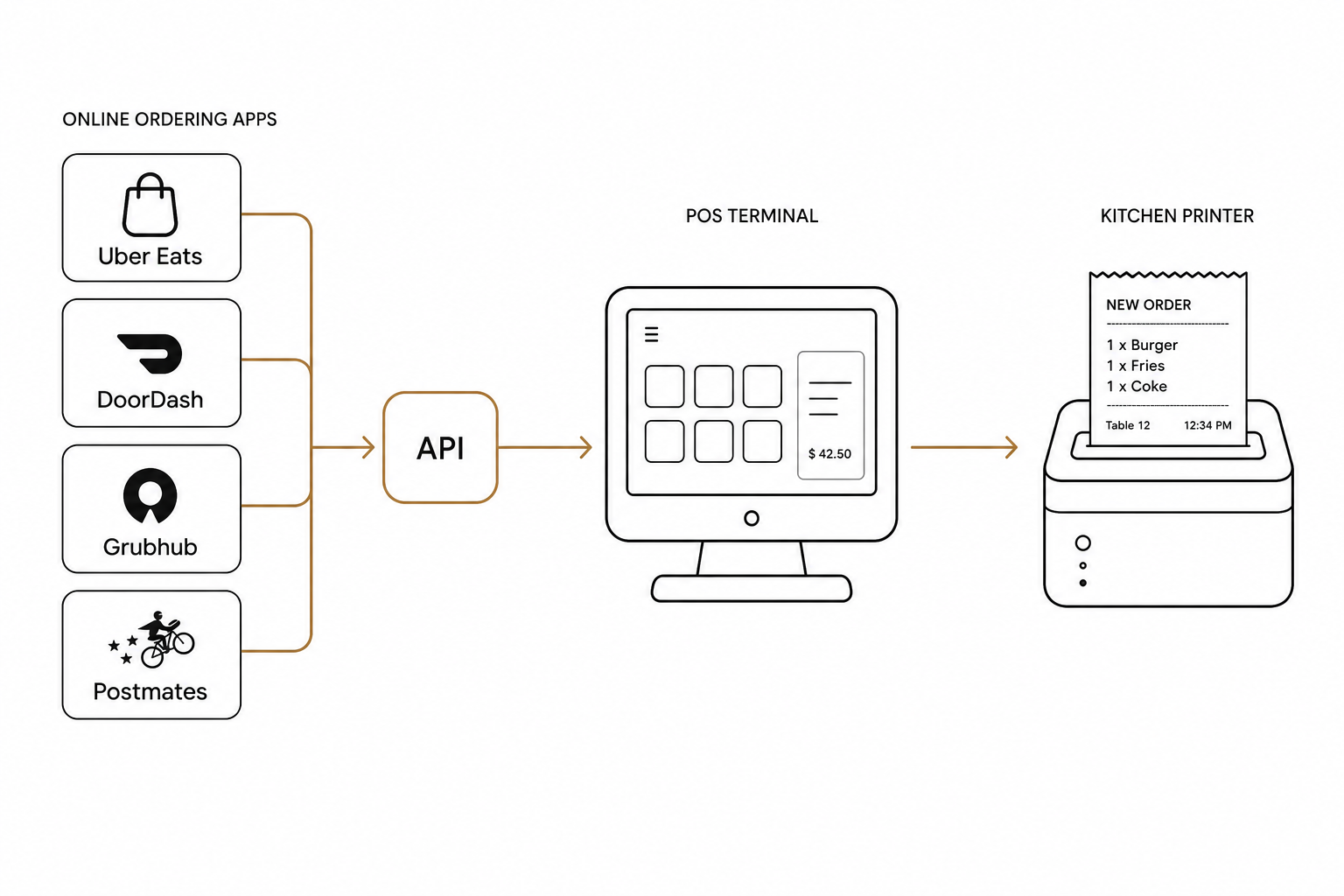
This communication happens through two main pipelines: menu synchronization and order injection.
Menu synchronization
Keeping your pricing and inventory consistent across platforms requires a clean menu sync. Different delivery platforms handle this in distinct ways:
- DoorDash utilizes both push and pull patterns. You can push menu updates to DoorDash using their APIs. Additionally, DoorDash runs an automatic DoorDash Menu Pull service every 24 hours to retrieve the latest menu from your POS database and ensure nothing falls out of sync.
- Uber Eats allows you to upload full menus via its Menu API. To keep your system stable, Uber strongly recommends that operators stop manually using Menu Maker once the API integration is live to prevent data synchronization conflicts.
- Grubhub relies on a single ingestion endpoint. It performs a comprehensive menu diff database operation using your POS external ID values. If an ID matches, it updates; if an ID is missing, Grubhub deletes it from the customer-facing app automatically.
Automated order injection
When an order is placed, the third-party app sends a webhook notification to your POS. For example, Uber Eats sends a POST request secured by an HMAC-SHA256 signature so your system can verify the request is legitimate. You can trace these payloads through the Uber Eats order notification webhook documentation.
Once your POS acknowledges this ping, it must auto-confirm or deny the order. On Uber Eats, your integration has exactly 11.5 minutes to accept the order before it auto-cancels. A connected POS bypasses human delay, instantly confirming the order and printing the ticket directly in the kitchen.
How to sync your POS step-by-step
Setting up a seamless sync requires a methodical approach. Follow these steps to connect your tech stack.
Establish your system of record
Do not try to manage menus on three different delivery tablets. Choose one centralized database to rule them all.
For the most streamlined setup, use Spindl as your preferred POS system. Spindl is like the iPhone of restaurant management – intuitive, highly integrated, and built to run your entire delivery, POS, and loyalty operation from a single device, leaving legacy "Nokia" setups far behind. It natively centralizes your menus so you only have to make changes once.
Clean and map your menu database
Before pushing your menu live, clean up your POS database.
- Assign unique external IDs to every item, modifier, and tax rate.
- Group modifiers logically (such as temperature preferences or optional add-ons).
- Ensure pricing is accurate. If you charge different prices for delivery than dine-in, set up specific delivery price tiers inside your POS.
Link your delivery accounts
Log into your merchant portals on DoorDash, Uber Eats, and Grubhub, and request a POS integration. You will need to input your POS provider details. If you are using an all-in-one platform like Spindl, this process is fast-tracked with built-in integrations that connect your locations in minutes.
Run a test sync and verify
Never go live without testing. Run a manual sync control from your POS dashboard to push your menu to the delivery channels. Check the customer-facing apps to verify that:
- Item descriptions and photos are rendering correctly.
- Out-of-stock items (86'd items) are hidden.
- Modifiers behave exactly as they do in-store.
Control your sync with AI
Once your POS is connected to your delivery platforms, managing daily adjustments – like updating a holiday price, changing a modifier, or disabling an item – can still feel like a chore.
This is where AgenticPOS transforms your operations.
AgenticPOS is an MCP server for any POS. It exposes every meaningful operation in your restaurant – including menu, pricing, channels, shifts, inventory, loyalty, and analytics – to any AI agent. Instead of clicking through complex back-office screens, you can talk to your POS through Claude, ChatGPT, or a Slack bot.
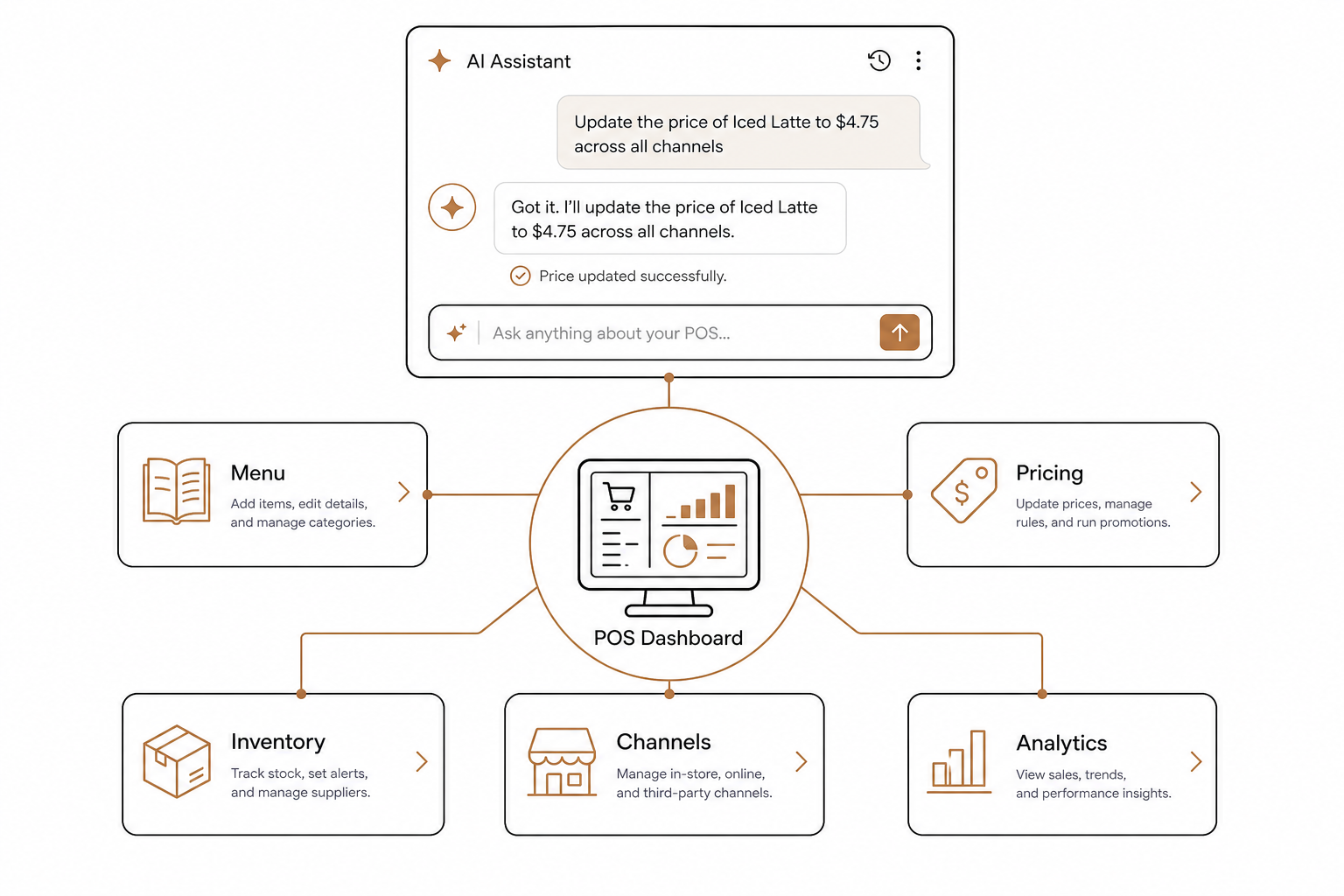
Need to adjust your online menu on the fly? You can type:
"Pause the Avocado Toast on all delivery channels until tomorrow morning and raise the price of the Breakfast Burrito by $0.50."
The AI agent selects the precise API tools, runs the operations safely, and updates your systems instantly. It bridges the gap between your physical restaurant and your digital channels, giving you complete hands-free control over menu management, pricing, and multi-location updates.
Ready to eliminate manual data entry and take control of your kitchen's order flow? Connect your delivery channels natively with Spindl POS, and supercharge your daily management by bringing your own AI agent to AgenticPOS.