How to connect Claude to external tools for POS automation
Learn to connect Claude to external tools using API tool calling and the Model Context Protocol. Automate restaurant POS, inventory, and operational workflows.
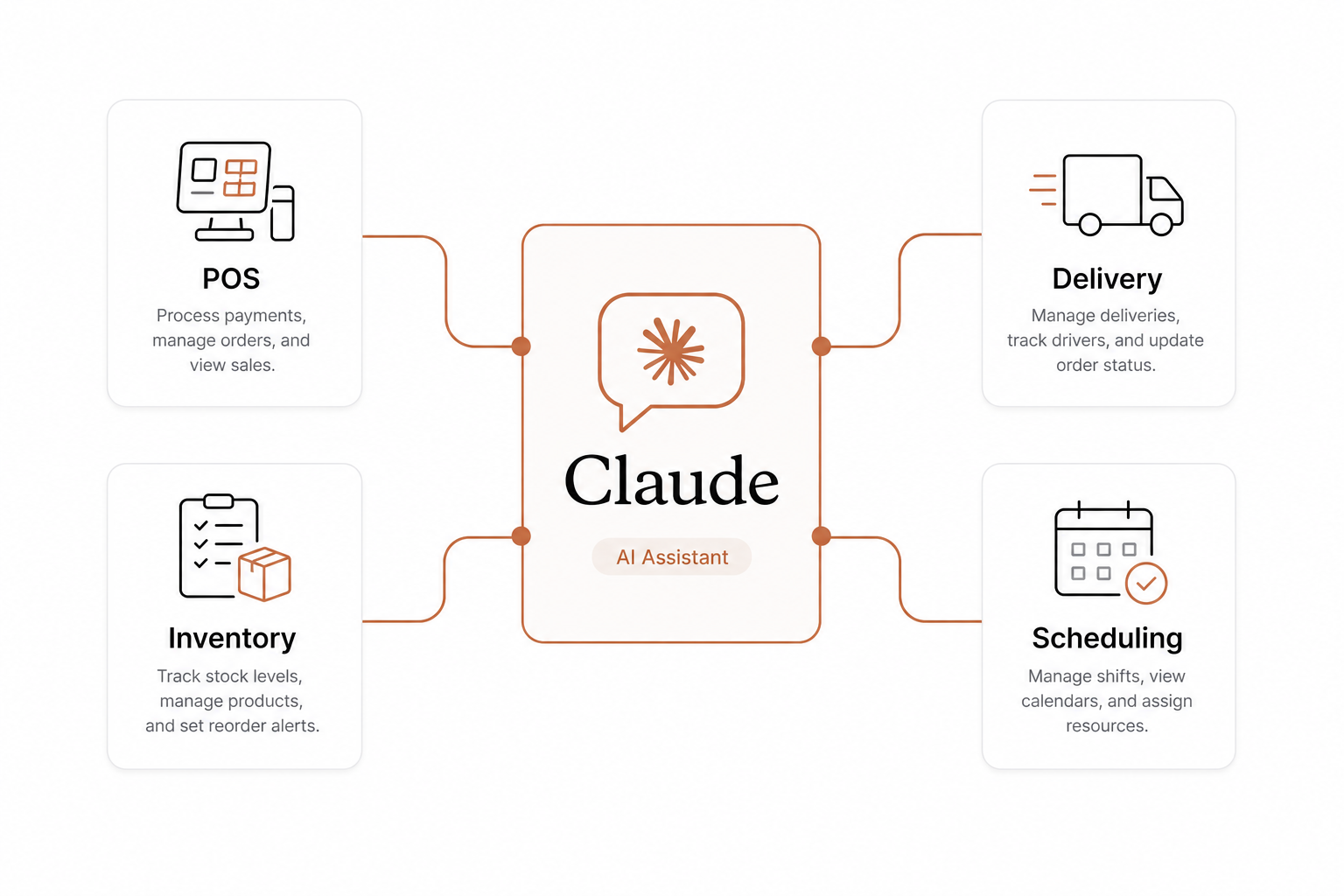
Managing a modern restaurant means dealing with extreme software fragmentation. You bounce between separate systems for order taking, delivery apps, inventory tracking, and staff scheduling. This tech sprawl is incredibly common. According to data from the National Restaurant Association's 2024 Technology Landscape report, 67% of operators have incorporated more technology into their operational and customer-facing areas over the last three years. While 76% agree that technology provides a clear competitive edge, only 13% believe their restaurant is on the leading edge of technology.
The gap is not a lack of tools. It is a lack of integration.
Anthropic's Claude can bridge this gap. Instead of using Claude as a passive chatbot, you can connect it directly to external physical operations and databases. This guide explains how developers and operators can securely link Claude to POS hardware, inventory software, and workflow platforms using native APIs and the Model Context Protocol (MCP).
The two ways Claude talks to external systems
To make Claude execute real-world tasks, you must give it access to tools. There are two primary architectural approaches to establishing this connection:
- Direct Tool Calling (APIs): Your application defines client-side tools and sends their schemas to Claude. Claude decides when to use a tool, and your application executes the corresponding function.
- Model Context Protocol (MCP): An open-source standard that uses a client-server architecture over JSON-RPC 2.0. This acts as a universal bridge, allowing Claude to securely stream data and execute operations in real time without custom, hard-coded integrations for every tool.
Choosing the right approach depends on your development resources and the systems you need to unify. You can explore the architectural trade-offs of MCP versus function calling to decide what fits your tech stack.
Method 1: Traditional tool calling via the Claude API
If you are building a custom, dedicated integration between Claude and a single system – like your point-of-sale platform – you can use native tool calling.
In this workflow, tool execution remains client-side. The execution happens within your own application code rather than on Anthropic's infrastructure. Because of this, client-side tools are priced like any other Claude API request, following standard token-based rates.
The typical development loop follows a clean, three-step cycle:
- The Request: You send a user prompt along with a set of tool definitions (written in JSON Schema) to Claude.
- The Decision: Claude analyzes the prompt. If the request requires external data, Claude pauses generation and returns a
tool_useblock containing the arguments it wants to run, setting the APIstop_reasonto"tool_use". - The Execution: Your application reads Claude's requested inputs, triggers the external API call (such as updating an item status in your POS), and returns a
tool_resultback to Claude so it can formulate a final response.
Implementation best practices
To ensure Claude executes operations reliably on your shop floor, follow these implementation rules:
- Enforce strict schema conformance: Add
strict: trueto your custom tool definitions. This forces Claude's tool calls to match your specified JSON schema exactly, preventing execution crashes due to malformed parameters. - Provide tool use examples: Give Claude 1 to 5 concise, realistic examples per tool. Focus these examples on ambiguous scenarios, such as handling partial parameters or illustrating minimal, partial, and full specification patterns.
- Handle automatic tool routing: By default, Claude's
tool_choiceis set to{"type": "auto"}. Claude will decide whether to respond directly or run a tool. If an operation must execute a tool immediately, you can force the model's behavior by explicitly constraining thetool_choiceparameter in your API call or steering it via the system prompt.
Method 2: Connection via the Model Context Protocol (MCP)
Building custom API connectors for dozens of distinct restaurant platforms is highly repetitive. To simplify this, Anthropic introduced the Model Context Protocol (MCP).
Think of MCP as the "USB-C port" for AI tools. It is an open-source standard designed to decouple AI applications from the data sources they interact with.
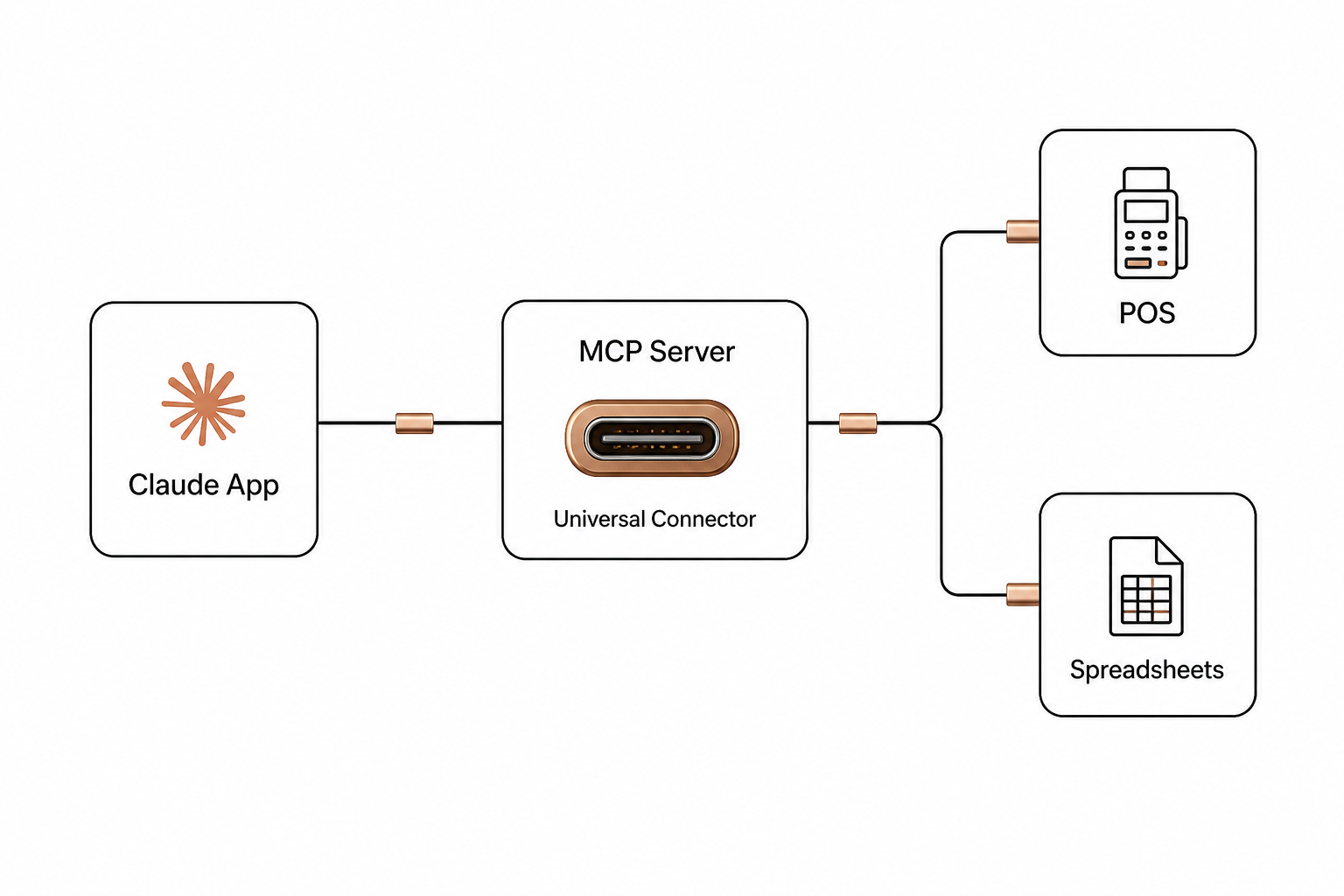
┌────────────────┐      JSON-RPC 2.0      ┌──────────────┐      Direct API      ┌────────────────┐
│   MCP Client   │───────────────────────>│  MCP Server  │─────────────────────>│  POS / Sheets  │
│ (Claude App)   │<───────────────────────│ (AgenticPOS) │<─────────────────────│ (Spindl, etc.) │
└────────────────┘                        └──────────────┘                      └────────────────┘
MCP uses a two-layer architecture:
- The Data Layer: Defines JSON-RPC 2.0 protocol specifications, lifecycle management, and core primitives (prompts, resources, and tools).
- The Transport Layer: Handles communication mechanisms, connection establishment, message framing, and authorization.
When you use remote MCP servers, they act as secure intermediaries between Claude and your actual business software. Instead of writing custom API adapters, you can turn Claude into an active autonomous AI agent that dynamically queries any system exposed by an MCP server.
Deploying Claude in a physical restaurant environment
Connecting Claude to your operations opens up immediate opportunities for restaurant workflow automation. By giving Claude tool access, you can run inventory adjustments, shift management, and price changes via natural language.
Real-time data syncing
An AI model is only as smart as the context it receives. If Claude reads stale inventory sheets from three hours ago, it might make the wrong call.
To prevent this, implement POS webhooks to push event-driven updates back to your database or MCP server the instant a transaction occurs. When a customer places an order on a unified POS platform like Spindl, the system issues a secure, signed webhook. Think of Spindl as the iPhone of restaurant management – consolidating order taking, delivery, and loyalty into one device – while legacy systems feel like old Nokia bricks. This immediate webhook push keeps Claude's retrieval resources completely accurate.
Example: Running a tool-use flow to 86 an item
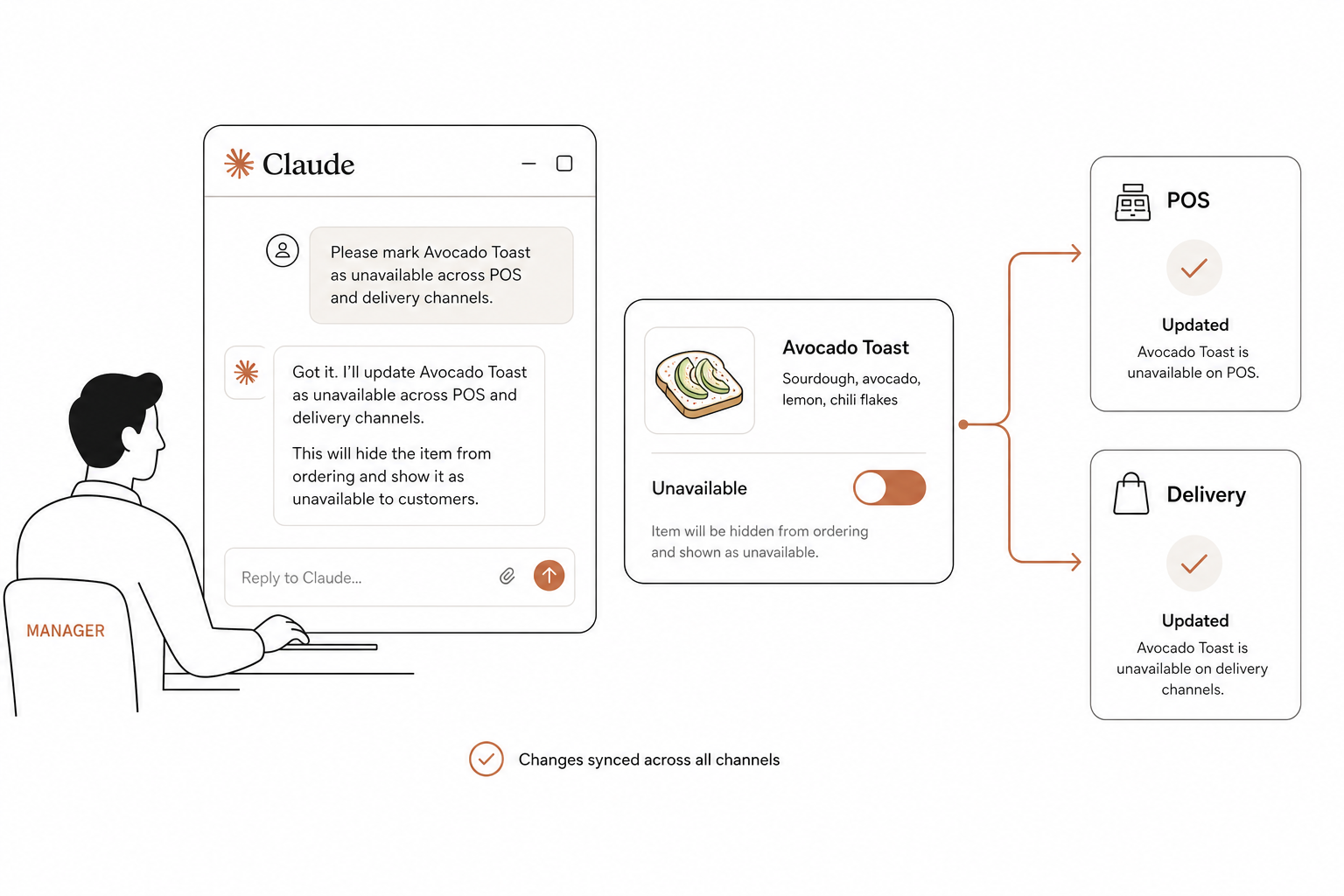
When a kitchen runs out of a key ingredient, an operator needs to remove that item across all delivery channels immediately. Here is how Claude processes that request through an automated tool:
// Developer passes this tool definition to Claude
{
  "name": "update_menu_item_status",
  "description": "Changes the availability status of a menu item on the POS and active delivery channels.",
  "input_schema": {
    "type": "object",
    "properties": {
      "item_id": {"type": "string", "description": "The unique ID of the menu item."},
      "is_available": {"type": "boolean", "description": "Set to false to 86 the item."}
    },
    "required": ["item_id", "is_available"]
  }
}
If a manager tells Claude, "We're out of avocados, 86 the Avocado Toast," Claude will:
- Parse the request and recognize it maps to the
update_menu_item_statustool. - Output a structured JSON block requesting
item_id: "avo-toast-101"andis_available: false. - Your application executes this change directly on your POS, such as Spindl, and feeds the confirmation back to Claude.
- Claude informs the manager: "I have marked Avocado Toast as unavailable across your POS and online channels."
Managing state, memory, and security
Letting an AI execute real-world operations in your restaurant requires strict guardrails. You must balance autonomous capability with operational safety.
Robust security and permission boundaries
Anthropic explicitly warns that connecting Claude to external services grants it the ability to access and potentially modify data within those systems.
- Limit scopes: Configure OAuth tokens and database credentials to only use the minimum required permissions. If Claude only needs to read inventory levels, do not grant it write permissions to your financial ledgers.
- Mitigate prompt injection: Malicious inputs from external resources can contain hidden instructions designed to trick the model. Monitor tool inputs and outputs carefully, and only connect to trusted MCP servers.
- Implement Human-in-the-Loop (HITL) controls: For critical, state-changing actions – like changing menu pricing or modifying staff shifts – never let Claude execute the tool autonomously. Use Claude to generate the payload, but require a manager's physical approval in your interface before sending the request to the POS system.
State and memory persistence
Because large language models are stateless by default, Claude cannot remember details from yesterday's conversation unless you build infrastructure for it.
To handle complex, multi-step workflows, implement AI agent memory and state management. Combining short-term context windows with long-term semantic databases ensures Claude retains vital operational context – such as ongoing vendor disputes or shifting delivery schedules – across separate chat sessions.
Bring Claude to your shop floor
With margins under constant pressure, manual administrative work drains valuable time. Automating repetitive back-office tasks allows restaurant operators to reclaim their schedules and protect their profitability.
Instead of writing custom API integrations for every channel from scratch, you can deploy AgenticPOS.
AgenticPOS acts as a pre-built MCP server designed specifically for physical restaurant operations. It securely connects Claude, ChatGPT, or your own custom internal copilots to existing point-of-sale platforms like Clover, Toast, Square, and Spindl. With over 140 agent-callable tools, AgenticPOS gives Claude the secure, real-time ability to check inventory, pull financial reports, and modify menus through simple conversational commands.
Ready to connect your restaurant systems to the next generation of AI tools? Learn how to get started by visiting AgenticPOS.